EnvioTerminal™
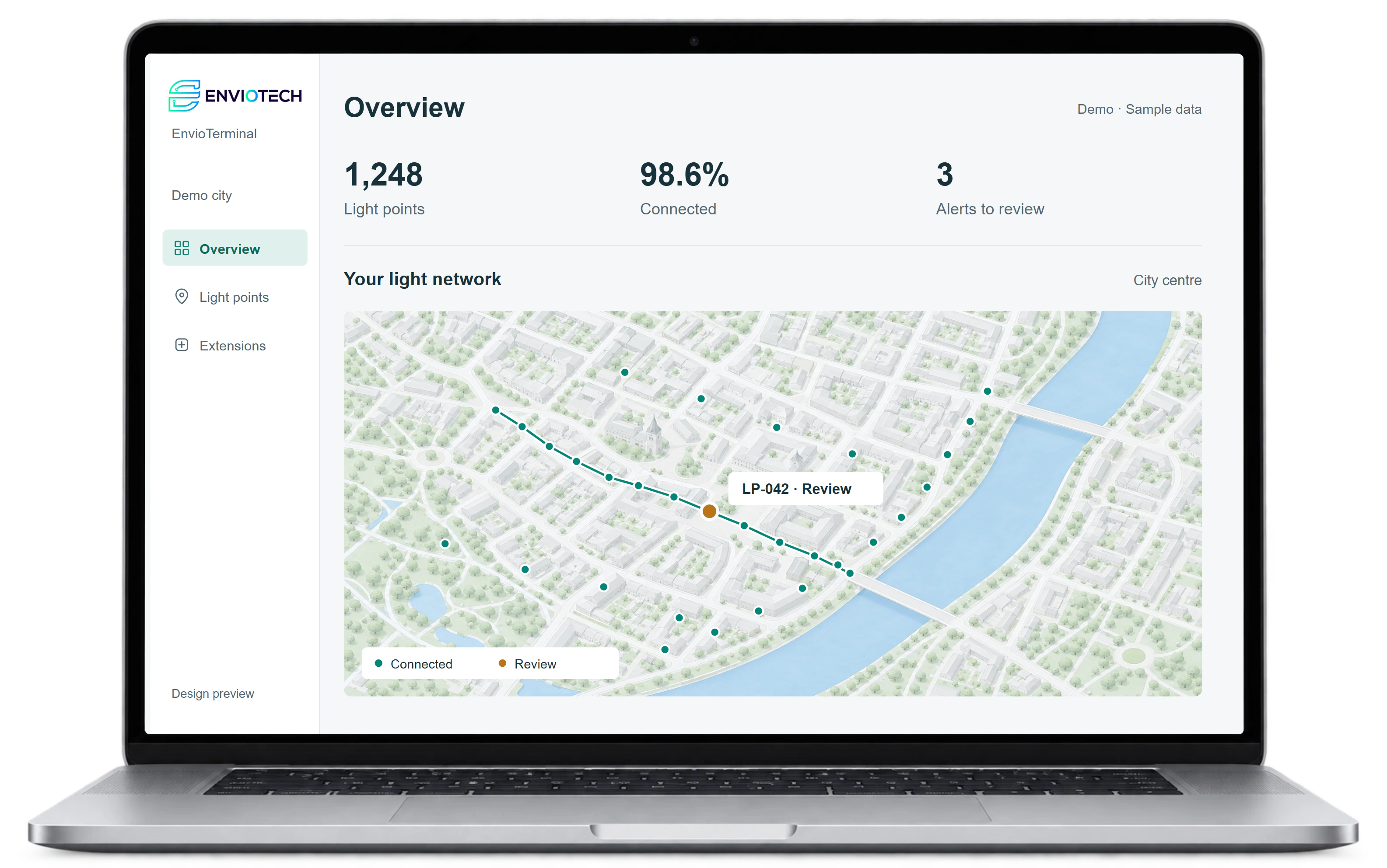
The central platform for your street lighting: control, monitor and analyse every luminaire in real time, directly in your browser.
- status of every light point
- Real time
- manage groups and dimming profiles
- Central
- fault alerts for each light point
- Automatic
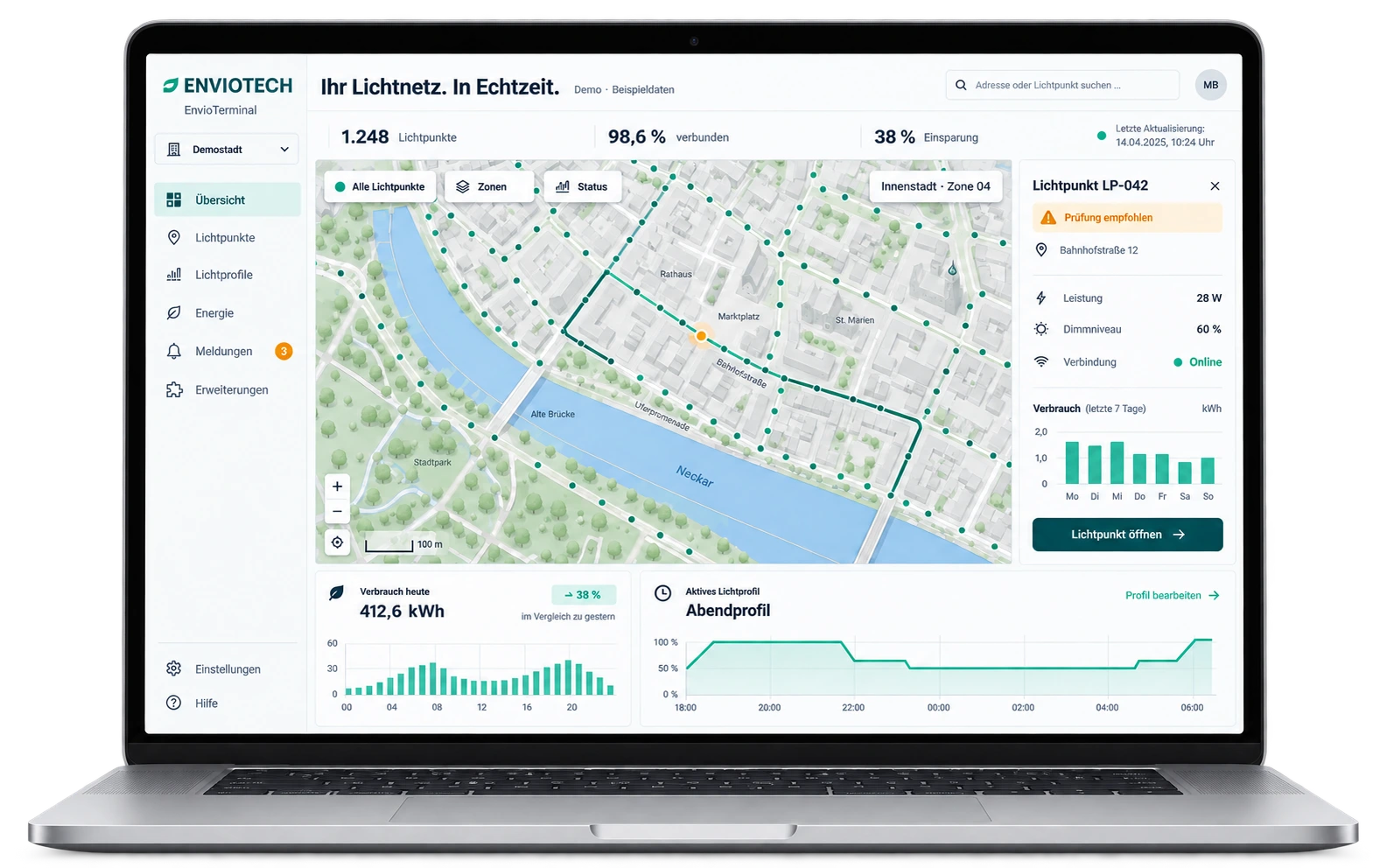
Inside EnvioTerminal™.
Three views from everyday operation.
Your entire lighting network at a glance.
Live map and digital twin
Every luminaire in real time: status, consumption and faults on one map.
Schedules by time and event
Control groups and zones centrally, roll out profiles in seconds.
Automatic fault alerts
Faulty luminaires report themselves. Inspection drives are no longer needed.
Consumption and savings reports
Traceable figures on kWh, cost and CO2 for finance departments and committees.
Operating data for each light point
D4i values support analysis of energy consumption, operating hours and device status.
Ask Envio
Ask questions in natural language and get analyses directly.
How the data reaches the terminal.
EVL-Connect gateways collect readings from Core and Sense nodes and send them, encrypted, to the cloud hosted in Europe.
D4i diagnostics per light point
More than 60 operating values per luminaire for monitoring and predictive maintenance.
Zero-touch provisioning
New nodes appear in the system automatically after installation.
Watchdog and self-healing
The system checks itself continuously and restarts stuck components.
In operation.
D4i diagnostics per light point
More than 60 operating values per luminaire for monitoring and predictive maintenance.
Zero-touch provisioning
New nodes appear in the system automatically after installation.
Watchdog and self-healing
The system checks itself continuously and restarts stuck components.
Technical data
- Access
- Browser, from anywhere
- Data intake
- EVL-Connect gateways over 2.4 GHz mesh
- Operation
- Hosted in Europe, GDPR-compliant
- Control
- Groups, zones, time and event schedules
- Monitoring
- Real-time status and D4i diagnostics per light point
- Alerts
- Automatic fault notifications
- Resilience
- Watchdog, self-healing network
- Integrations
- Open API, smart city partners
- AI agent
- Ask Envio
Frequently asked questions
What do we need to use EnvioTerminal?
A browser; no installation is required. Luminaires are connected via Core or Sense nodes or as system luminaires. New nodes appear in the system automatically after installation.
Where is the data hosted?
In Europe. Operation is GDPR-compliant, and the data reaches the terminal encrypted via the EVL-Connect gateways.
How do we find out about faulty luminaires?
Faulty luminaires report themselves automatically. Via D4i, more than 60 operating values are available per light point, such as energy, operating hours, temperature and fault status. Inspection drives are no longer needed.
Can different departments work with it together?
Yes. Access and permissions are set up to match the tasks of the people involved.
Can the terminal be connected to other systems?
The terminal provides an open API. We assess the data and interfaces needed to connect your system as part of the project.
Can we try the terminal first?
Yes. The live demo runs directly in the browser with sample data.

Ready for the next step?
In a 30-minute consultation, we discuss potential savings, feasibility and your project timeline.